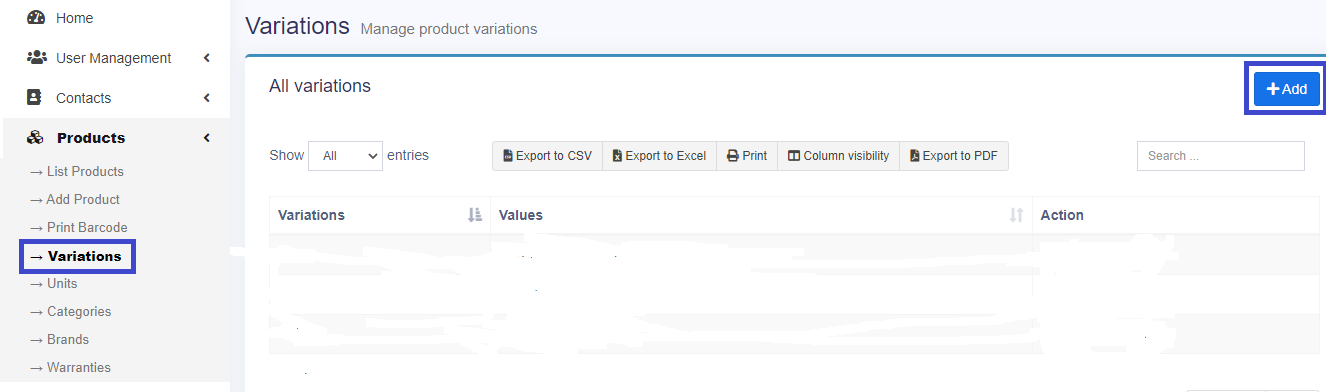
For creating a variation, click on variations option in products in the left menu bar. Then click on the add button on the top right side button of the brands page. Then click on the add button on top right side button of variations page.
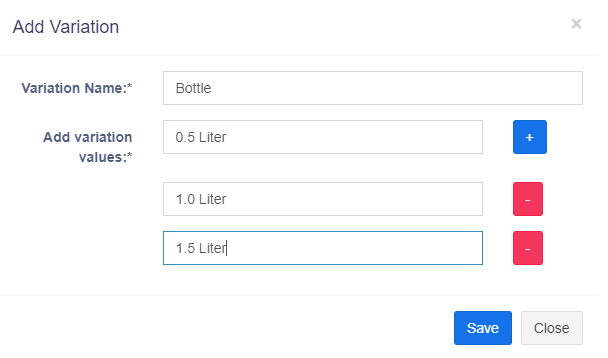
Fill “Variation Name”, add the different variation values and click on save button.
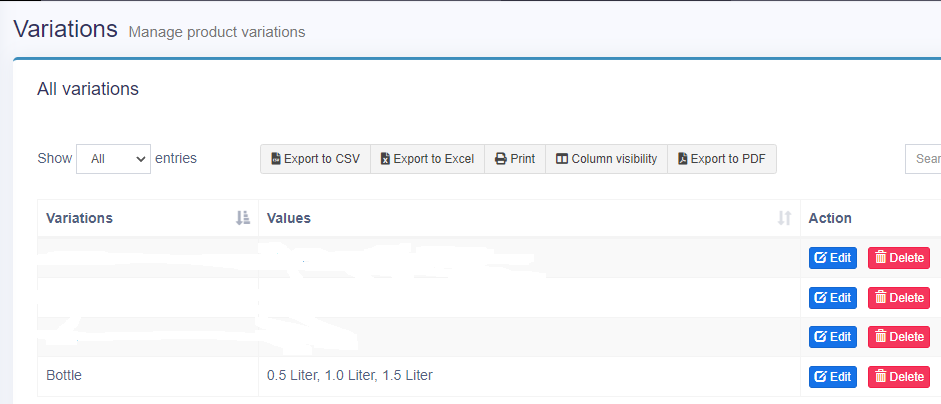
New created variation will show on the variation page.